Case study
Kumon Class-Navi Automation
Born as a bookmarklet, rebuilt as a Chrome extension — turns hours of clicking through a Kumon grading backlog into a 25-minute unattended run.
- hours → 25 min backlog cleared
- 1-click single or bulk clear
Clearing marks by hand…
One click, then unattended…
- 22 × faster in this clip
- 48.4 s saved in this clip
- 22 sets the extension clears in one manual set
Overview
Kumon instructors must manually mark every student worksheet as reviewed in Class-Navi before students can progress. When worksheets pile up, clearing the backlog means hours of repetitive clicks: about 50 seconds a set, page by page. I built a Chrome extension that automates the entire sequence and runs through a full backlog in under 25 minutes while the instructor does something else.
The problem
Class-Navi is Kumon's internal grading portal, built as an Angular single-page app. For each worksheet, an instructor must open it, tab through every page, clear any eraser marks, and confirm completion — one deliberate click at a time, no batch operation, no shortcuts.
The centre has 70+ students, and 10+ of them are on the online program, whose worksheets are marked in Class-Navi. A week of unchecked worksheets adds up to hours of clicking, and until it's cleared the backlog blocks the platform's automatic progression tracking — students appear stuck even when they've moved on.
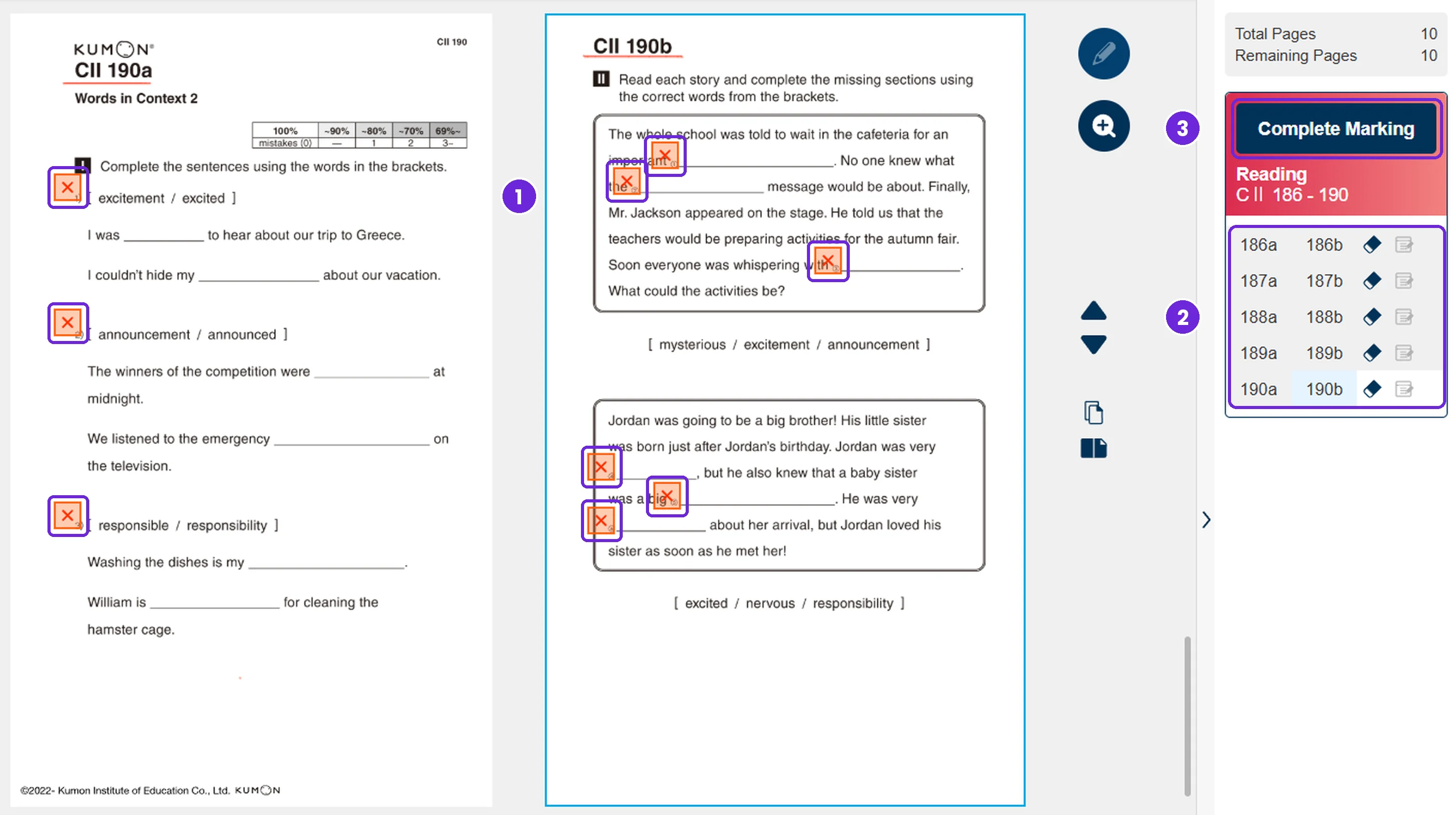
- Clear every mark on the page, one at a time.
- Move to the next page and repeat. This set has 10.
- Press Complete Marking and confirm.
Role & constraints
I built and shipped this solo. The hard constraint was that Class-Navi is a closed system: no public API, no webhook, no path that doesn't go through the browser UI. Every action had to be a real browser interaction the Angular app's own event handlers would recognise — nothing server-side, nothing injected at the network level.
Approach
Design
The popup needed to be context-aware without adding friction. Rather than asking the instructor to configure anything upfront, it detects which page they're on — worksheet or gradebook — and shows only the relevant control. A worksheet page shows one clear button. The gradebook shows bulk mode with a configurable day threshold (default: 10 days).
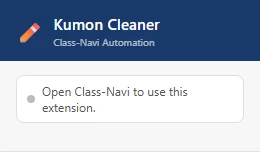
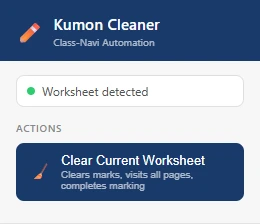
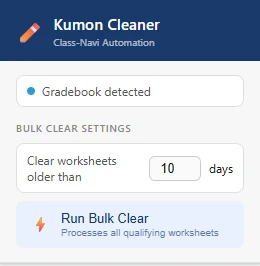
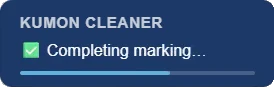
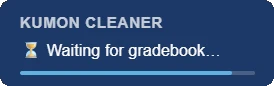
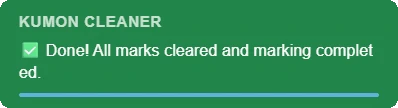
Progress feedback runs in a floating status bar injected into the page itself, so the instructor can close the popup and still see what's running. It steps through each stage and auto-dismisses when done.

Engineering
Class-Navi's Angular app doesn't respond reliably to bare .click() calls — the framework expects full MouseEvent sequences with real coordinates. I wrote a syntheticClick helper that dispatches mousedown, mouseup, and click with bounding-box coordinates, which the app treats the same as a real user interaction.
Bulk mode is a loop that re-scans the gradebook after each worksheet completes rather than collecting a list upfront. That way it always operates on the current DOM state, which matters because the gradebook re-renders after each completion.
The project started as a bookmarklet, which worked for a single worksheet but broke whenever the page navigated away mid-run. Moving to a Chrome extension (Manifest V3) fixed that: the content script survives Angular's client-side routing, chrome.storage persists the threshold between sessions, and the popup gives the tool a proper home outside the page itself.
Key decisions & tradeoffs
- Synthetic events over .click()
- Necessary for Angular's change detection to fire. The tradeoff: tight coupling to the current DOM structure. If Kumon redesigns Class-Navi, the selectors and event targets will need updating.
- Re-scan per worksheet in bulk mode
- Slower than collecting a list upfront, but resilient to the gradebook re-rendering or reordering between completions. Correctness mattered more than speed here since the whole point is to run unattended.
- Bookmarklet → Chrome extension
- The bookmarklet worked for the single-worksheet case but couldn't survive page navigation, making bulk mode impossible. The extension architecture was the only viable path for an unattended multi-worksheet run.
- No framework
- Vanilla JS throughout. The popup is small enough that adding React or similar would introduce more complexity than it removes.
Outcome
Before the extension, clearing a week's backlog for the 10+ online-program students took hours of clicking, at roughly 50 seconds a set. After, the same backlog runs unattended in about 25 minutes — measured wall-clock time on a real backlog, not an estimate. The actual user time is one click.
Reflection
The main limitation is brittleness to DOM changes. Selectors like app-atd0020p and #EndScoringButton are Angular component internals that Kumon could rename without notice. A more resilient version would use ARIA labels and visible text as fallback selectors, and surface a clear error state when something stops matching rather than silently hanging.
I'd also add a dry-run mode for bulk clear — a preview pass listing which worksheets will be processed before committing — to give instructors more confidence on large backlogs.